

Every call, on every screen.
As it happens.
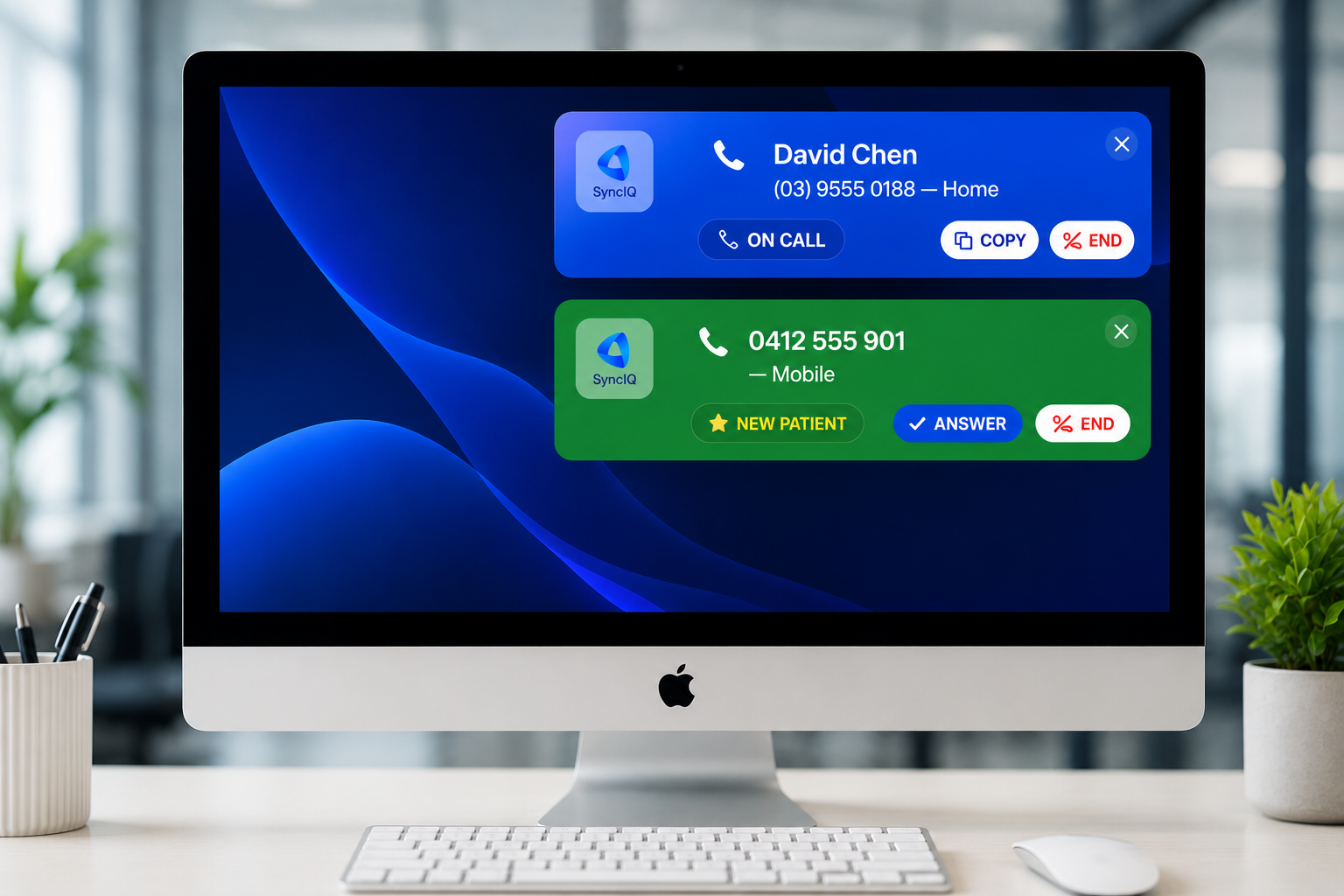
A calm popup appears on each reception computer the moment a patient rings: their name, the line, the call's state. Click it and their file and upcoming appointments open in your practice software.

📞 Sarah Mitchell
0412 555 901 — Mobile
📞 David Chen
(07) 5555 0188 — Home
A glance from across the room.
- Enquiries from your website show as LEAD, with their enquiry one click away
- Booked new patients show as NEW PT and open their appointment
- Duplicate records collapse to the oldest file, so the right one opens
Click the popup, land in their file.
- No copy-pasting numbers, no typing surnames into a search box
- Opens in your browser or the PMS desktop app
- Only when you click: nothing pops open mid-conversation
📞 NEW PT - Tom Reilly
0421 008 331 — Mobile
📞 LEAD - Priya Nair
0433 210 884 — Mobile
📞 Sarah Mitchell
0412 555 901 — Mobile
Three colours. No reading required.
📞 Sarah Mitchell
0412 555 901 — Mobile
A green popup slides in with the patient's name and number. It pulses gently so it catches the eye without startling the room.
📞 David Chen
(07) 5555 0188 — Home
When one desk picks up, the popup turns blue on every other screen. No two people reaching for the same call.
📞 Emma Watson
0488 555 332 — Mobile
Turns red briefly, then disappears. No clutter, nothing to dismiss, ready for the next call.
Get SyncIQ Desktop
Free to install. Sign in with your SyncIQ account to activate notifications on this device. Silent auto-updates keep every install on the latest stable release.
Latest stable: v1.1.93
Installing on macOS
Three clicks, no Terminal. macOS will show a security prompt the first time you open the app — that's normal for apps installed outside the App Store.
- Double-click the downloaded file to unpack it, then drag SyncIQ.app into your Applications folder.
- In Applications, right-click (or Control-click) on SyncIQ → click Open.
- A prompt will say "macOS cannot verify the developer" — click Open to confirm. You'll only see this once.
Tip: double-clicking the app the first time may show a warning with no Open button — always use right-click → Open for the first launch. After that, double-click works normally.
Windows install
Unzip the download, then run SyncIQ.exe. If SmartScreen shows a blue "Windows protected your PC" box, click More info → Run anyway.
Three desks. Three screens. One answer.
Install it on every reception computer. The moment one person answers, every other screen shows it.
📞 Sarah Mitchell
0412 555 901 — Mobile
📞 Sarah Mitchell
0412 555 901 — Mobile
📞 Sarah Mitchell
0412 555 901 — Mobile
Designed for reception, not for IT.
Stays on top of any app: your practice software, the browser, Word. Never buried.
Green, blue, red. No reading needed to know what's happening.
Opens the patient's record and upcoming appointments in your practice software. Never auto-opens.
When one desk answers, the others update. Install it on every reception computer.
Silent updates in the background. Nothing for IT to do.
Native app for both. Signs in once and shows calls from then on.
On every reception computer in minutes.
- 01Download and install
Mac or Windows, from the buttons below. It picks the right build for your computer.
- 02Sign in once
With your SyncIQ login. Team members use their own.
- 03Leave it running
It lives in the tray or menu bar, updates itself, and shows every call from then on.
The details.
Is the desktop app on Pro?+
Does it need our phone system?+
Does it see what we're doing on the computer?+
Can staff click to call?+
The CRMEnterprise
Website forms, follow-up that runs in clinic hours, two-way SMS, social posting and review requests — all against contacts that already know who rang and who booked.
See every caller. On every screen.
Start a 30-day free trial and install the desktop app on every reception computer in minutes. Desktop popups are an Enterprise feature, included in your trial.