
Know who's calling before you answer.
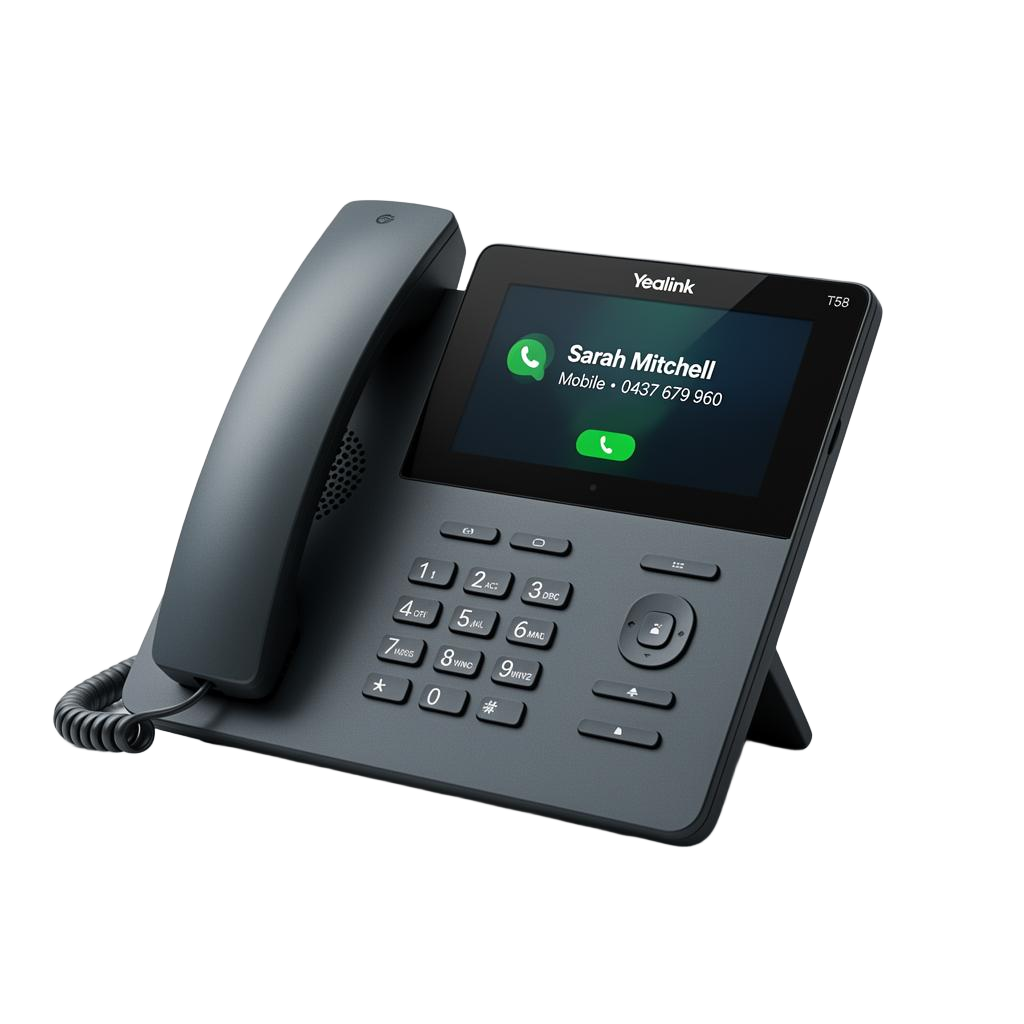
SyncIQ syncs every patient from your practice management software to your desk phones and desktop — so reception sees the patient's name the moment the phone rings.
- 30-day free trial — full Enterprise features
- No credit card required
- Setup in under 10 minutes
- Cancel anytime
Start your free 30-day trial
No credit card. No commitment. Up and running in minutes.
Caller ID, everywhere your team works
The patient's name appears on the handset, the desktop, and your CRM — automatically.
On the desk phone
Patient names appear directly on Yealink, Grandstream and other IP handsets the moment a call comes in.
On the desktop
Get a rich incoming call notification on every reception computer with the patient's full profile and PMS link.
Auto-synced from your PMS
PracSuite, Cliniko, Nookal, PracticeHub, Halaxy, coreplus — connect once and contacts stay fresh.
Works with your stack
Plays nicely with your PMS and your phones
Connect once. SyncIQ keeps your patient list and your handsets in sync — automatically.
Practice management software






Supported IP handsets



Don't see your software? We can build a custom integration with any PMS or CRM that has an open API.
How it works
Live in under 10 minutes
Connect your PMS
Paste your API key for PracSuite, Cliniko, Nookal, PracticeHub, Halaxy or coreplus. Patients sync automatically.
Point your handsets
Add your Yealink, Grandstream or Fanvil phones with one Remote Phonebook URL. We do the rest.
Answer with names
Patient names appear on the handset and desktop. Click the desktop toast to open their file in your PMS.
Loved by reception teams across Australia
"Our front desk used to scramble through the PMS while the phone was ringing. Now the patient's name is just there. Game changer."
— Dental Practice, Sydney
"Setup was genuinely 10 minutes. We connected Cliniko, plugged in the Yealinks, and it worked."
— Allied Health Clinic, Melbourne
"The desktop notification means whoever is closest to a free phone can answer with the patient's name. Patients love it."
— Medical Centre, Brisbane
Privacy-first
Hosted in Australia. Australian Privacy Principles compliant. No clinical data stored.
Setup in 10 min
Connect your PMS, point your handset at SyncIQ, done.
Cancel anytime
No lock-in contracts. Full control from your account settings.
FAQ
Questions, answered
Ready to know who's calling?
Start your free 30-day trial today. No credit card required.
30 days free · Cancel anytime · No credit card
30 days free · No credit card